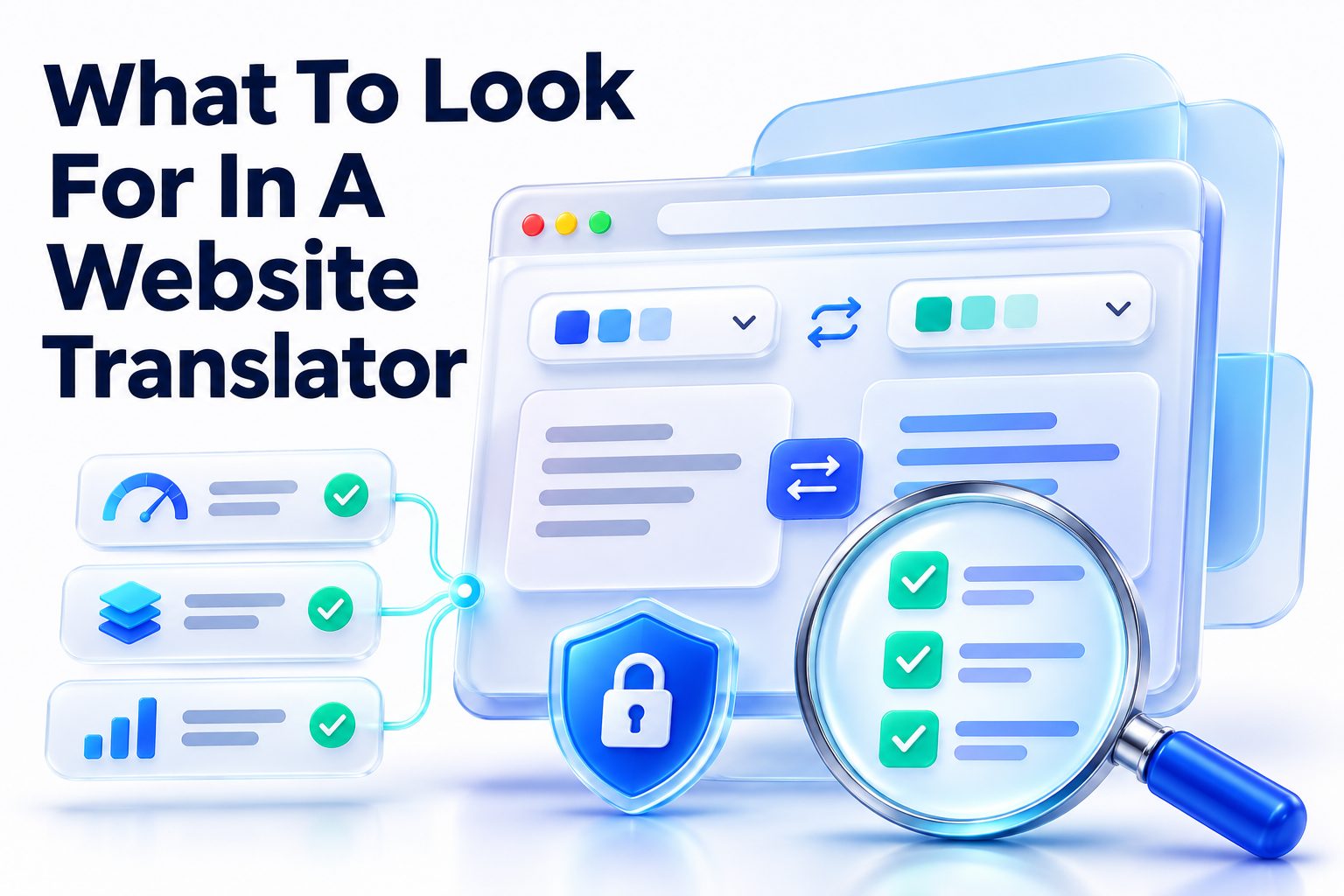
A website translator can help you reach customers, readers, and partners who would otherwise leave because the content is not in their language. Yet translating a website is more involved than converting words from one language to another. Navigation labels, product descriptions, checkout fields, image text, legal pages, search metadata, and updates all need to work together. That is why knowing what to look for in a website translator matters before you install a plugin, subscribe to a service, or send your content to an agency.
The right choice depends on your site, audience, budget, and tolerance for review work. A small blog may need a fast, affordable translation layer, while an ecommerce store may need localized product catalogs and carefully reviewed checkout copy. This article explains the features that affect accuracy, SEO, usability, security, workflow, and long-term cost. You will also learn how to test potential providers and spot warning signs before they create problems for international visitors.
Translation Quality and Context
The first priority is translation quality. A website translator should produce natural, accurate copy that preserves your meaning, tone, and calls to action. Literal translations often sound awkward and can create embarrassing mistakes, especially with slogans, industry terminology, product names, and idiomatic phrases.
Context is equally important. A word can mean different things depending on where it appears. “Save,” for example, may refer to saving a document, saving money, or preserving an item. Look for a tool or service that lets translators view text in its page context rather than translating isolated spreadsheet strings.
Machine Translation, Human Review, and Hybrid Workflows
Machine translation is useful for speed and scale, particularly when you have many articles, products, or support pages. Its quality varies by language pair and content type. It may handle straightforward informational copy well but struggle with nuanced brand language, legal text, technical documentation, and culturally sensitive messaging.
Human translation generally offers stronger judgment, style, and cultural awareness. The practical middle ground is often a hybrid workflow: use machine translation for a first draft, then have a fluent reviewer edit priority pages. This reduces costs without publishing unreviewed text in high-impact areas.
Quality Checks Before Publishing
A capable platform should provide ways to review translations before they go live. At a minimum, you should be able to edit individual strings, assign translations for approval, and identify pages with missing content. Translation memory can also keep repeated phrases consistent across the site.
Ask whether the provider supports glossaries. A glossary tells the system or translator how to treat approved terms, such as your product names, industry acronyms, and words that should remain untranslated. This small feature can prevent inconsistent language across hundreds of pages.
A practical quality checklist includes:
- Review the homepage, main service pages, and checkout or lead form first.
- Test terminology that has more than one possible meaning.
- Check headings, buttons, menus, error messages, and confirmation emails.
- Create a glossary for brand names, product features, and required terms.
- Have a native speaker review customer-facing pages before launch.
- Recheck translations whenever the source content changes.
Language Coverage and Regional Localization
Language coverage is not just a count of available languages. A provider may offer Spanish, French, Portuguese, or Chinese, but your audience may need a regional version. Spanish for Mexico, for instance, may require different vocabulary and currency conventions than Spanish for Spain. The same applies to French for Canada and France, or Portuguese for Brazil and Portugal.
Choose languages based on actual demand. Review your traffic analytics, sales locations, customer support requests, and market plans. Adding many lightly maintained languages can create more work than value. It is usually better to launch a few high-priority locales well and expand after you have a stable process.
Beyond Words: Cultural and Local Details
Localization adapts a site for local expectations. This includes dates, time formats, currencies, measurement units, addresses, phone numbers, shipping options, and payment methods. A visitor should not have to mentally convert prices or wonder whether a delivery promise applies in their country.
Visual details matter too. An image with embedded English text may undermine an otherwise well-translated page. Color associations, humor, formality, and examples can also vary by market. A website translator does not always handle these elements automatically, so check what must be localized manually.
Language Selector Design
Visitors need a clear way to choose their language. Look for flexible language selector options that work on desktop and mobile, fit your navigation, and display recognizable language names. A country flag alone can be misleading because many countries share a language.
The selector should retain the visitor’s choice during their session and make switching back simple. Avoid forcing users into a language solely because of browser settings or location. Automatic suggestions can be useful, but users should remain in control.
Compatibility With Your Website Platform
Before deciding what to look for in a website translator, confirm that it works reliably with your content management system, theme, ecommerce setup, and marketing tools. A translation solution that appears easy to install can become difficult if it breaks page builders, custom fields, pop-ups, forms, or dynamic content.
Check whether the provider has official support for your platform rather than relying on a generic integration claim. If your site runs on WordPress, Shopify, Webflow, Wix, Magento, a headless CMS, or a custom application, ask for examples that closely match your setup.
Dynamic Content and Ecommerce Support
Many translation problems appear outside standard pages. Ecommerce stores need product titles, descriptions, variants, filters, cart text, transactional emails, customer accounts, and checkout instructions translated correctly. SaaS sites may also need dashboards, validation messages, help widgets, and knowledge-base articles in several languages.
Find out how the tool treats content generated by JavaScript, third-party apps, and customer data. Some solutions translate only visible static page text. Others can handle a much broader set of content but may require configuration or development work.
Content Types Worth Testing
Test a realistic sample before committing. Include a landing page, a blog post, a product page, a contact form, a search page, a cookie banner, and a confirmation email if those are part of your site. This reveals gaps that a polished product demo may not show.
Pay attention to text embedded in images, PDFs, video captions, downloadable files, and page-builder modules. These assets are often overlooked during multilingual launches. For more planning guidance, a useful related resource would be [Internal Link: Website Localization Checklist].
Search Engine Optimization for Multilingual Pages
Translation does not automatically create international SEO. Search engines need to understand which pages serve which languages and regions. A good website translator should support a crawlable structure, translated URLs where appropriate, localized metadata, and correctly implemented hreflang annotations.
Hreflang tags help search engines connect alternate language or regional versions of the same page. They reduce the chance that a visitor in Germany sees your English page when a German equivalent exists. Incorrect tags can confuse search engines, so use a solution that manages them carefully or lets your technical team control them.
URL Structures and Indexing Options
Common multilingual URL structures include subdirectories, subdomains, and country-specific domains. Subdirectories, such as example.com/fr/, are often simpler to manage because authority stays under one domain. Subdomains and country domains can make sense in certain business structures but usually require more operational effort.
Ask whether you can edit translated URL slugs and choose which languages search engines can index. Draft or low-quality translations should not be indexed. The platform should also avoid creating duplicate pages, redirect loops, or language versions that lead visitors to the wrong content.
A multilingual SEO comparison:
| Feature | Why it matters | What to check |
|—|—|—|
| Hreflang support | Signals language and regional alternatives | Tags are accurate and updated per page |
| Translated metadata | Improves relevance in local results | Titles and descriptions can be edited |
| Localized URL slugs | Makes links clearer and more useful | Slugs are customizable |
| Indexing controls | Prevents unfinished pages appearing in search | Each language can be excluded or published |
| XML sitemap support | Helps search engines find new versions | Translated pages appear correctly |
| Canonical controls | Reduces duplicate-content confusion | Canonicals point to the intended version |
Translation Workflow and Ongoing Maintenance
A website is rarely finished. New blog posts, product updates, sales campaigns, policy changes, and seasonal pages all need translation. The best translator is one your team can maintain without hunting through every page after each edit.
Look for automatic change detection. When an original sentence changes, the relevant translated version should be marked as outdated rather than silently remaining live. This protects visitors from seeing old pricing, inaccurate feature details, or expired promotional terms.
Roles, Permissions, and Collaboration
Different people may create content, translate copy, approve legal wording, and publish pages. Choose a system with clear roles and permissions. A freelance translator may need access to language strings without being able to edit your site design or publish unrelated changes.
Comments, assignment tools, and translation status labels can make collaboration less chaotic. These features become especially useful when several reviewers work across different markets. A clean workflow is often more valuable than a long list of translation engines.
A sensible rollout process looks like this:
1. Identify the pages that influence sales, support, and trust.
2. Prepare source content so it is final, clear, and free of duplicate wording.
3. Create a glossary and decide who approves each language.
4. Translate a small set of representative pages first.
5. Review design, links, forms, mobile layouts, and SEO settings.
6. Publish the first language and monitor user behavior.
7. Establish a routine for translating future updates.
Site Performance and User Experience
Translation should not make your website noticeably slower. Some tools load translated text through scripts in the visitor’s browser, which can delay rendering or cause text to shift while the page loads. Others generate server-side or cached pages that tend to be more search-friendly and stable.
Run speed tests on the original and translated versions of important pages. Test from locations close to your target market where possible. A fast English site does not guarantee a fast page for visitors accessing a translated version through an overseas service.
Mobile Layouts and Design Problems
Translated text can be significantly longer or shorter than the source language. German often expands compared with English, while Chinese may be more compact. Buttons, navigation labels, cards, tables, and form fields can break if the design leaves no room for variation.
Review each language on a real mobile screen, not only in an editor preview. Make sure menus stay usable, labels do not overlap, and calls to action remain visible. Right-to-left languages such as Arabic and Hebrew require additional testing because layout direction, icons, and spacing may need changes.
Accessibility Considerations
Language settings affect accessibility as well as usability. Each translated page should identify its language in the page markup so screen readers can pronounce content correctly. Any language switcher should be keyboard accessible and clearly labeled.
Avoid replacing meaningful text with unlabelled flag icons. Also check that translated alt text, captions, form labels, and error messages remain useful. Accessibility problems can become harder to spot when reviewers do not speak every published language.
Costs, Pricing Models, and Ownership
Compare total cost rather than the entry-level subscription price. Website translation providers may charge by word, translated page view, language, user, machine translation volume, or add-on features. Some plans look inexpensive until traffic rises or you add the languages your business actually needs.
Ask how pricing changes as your site grows. A provider that works for a 20-page brochure site may become expensive with a large blog or store catalog. Include the cost of professional review, localization, maintenance, and technical support in your budget.
Data Ownership and Export Options
Your translated content is an asset. Confirm that you can export translations, translation memories, glossaries, and language settings if you change providers. A system that locks your work into a proprietary format can make future migration costly.
It is also worth checking who owns human translations created through the service. Read the contract terms, especially if you work in regulated industries or use sensitive commercial information. Clear ownership and export rights reduce risk later.
Key questions to ask before buying:
- Is pricing based on traffic, words, languages, or a combination of these?
- What happens if usage exceeds the plan limit?
- Can you export all translated content and translation memory?
- Are human review services included, optional, or handled separately?
- Is there a separate charge for translated SEO metadata or ecommerce content?
- Can you pause, downgrade, or cancel without losing access to your data?
Security, Privacy, and Compliance
Website content may include customer information, business plans, unpublished products, or regulated data. If text is sent to a third-party translation service, review how it is stored, processed, and protected. This is particularly important for healthcare, finance, legal services, education, and B2B software.
Look for clear documentation on encryption, data retention, subprocessors, access controls, and incident response. If your business has GDPR, contractual, or industry-specific obligations, involve the appropriate legal or security team before uploading sensitive content.
Privacy Risks in Forms and Customer Content
A translation layer should not inadvertently capture information entered into contact forms, search fields, account areas, or payment forms. Some services offer settings to exclude selected pages, fields, or content types. Confirm those exclusions work before launch.
Customer reviews and user-generated content deserve separate consideration. Translating them may be helpful, but it can alter tone or meaning. Make it clear when a review has been machine translated, and preserve the original text when practical.
Support, Documentation, and Reliability
Even an easy setup can encounter issues after a theme update, plugin change, or new feature launch. Reliable support matters when a broken translation affects checkout, bookings, lead generation, or a major campaign. Review support channels, typical response times, documentation quality, and the availability of onboarding help.
Search for documentation covering common situations specific to your platform. Good guides should explain translation workflows, SEO setup, troubleshooting, exclusions, and rollback options. Vague documentation can indicate that you will need developer time for ordinary tasks.
Warning Signs During a Trial
Use a trial period to evaluate the real service, not just the editor interface. Create test translations, modify the source page, switch languages, submit forms, and inspect search settings. Your goal is to see how the tool behaves under normal maintenance conditions.
Be cautious when a provider cannot clearly explain where translated content lives, how to export it, or what happens after you cancel. Also treat claims of perfect automatic translation with skepticism. Language quality still benefits from human judgment, especially on pages that affect trust or revenue.
Common mistakes to avoid:
- Publishing every machine-translated page without review.
- Translating text but leaving prices, dates, and measurements unchanged.
- Ignoring emails, forms, pop-ups, and error messages.
- Letting outdated translations remain live after source content changes.
- Assuming flags are an adequate language selection system.
- Indexing low-quality or unfinished language pages.
- Choosing a service without testing the checkout or lead-generation flow.
Choosing the Best Option for Your Site
There is no universal best website translator. Start with the type of site you run and the consequences of a weak translation. A personal blog may prioritize simplicity and speed. A global ecommerce business should prioritize catalog support, localized checkout, SEO controls, review workflows, and scalability.
An agency or professional translator may be the better choice for high-stakes pages, even if you use software for publishing and maintenance. Legal terms, medical information, financial claims, and brand campaigns often need expertise that an automated service cannot reliably provide.
Matching Features to Business Needs
For a small content site, focus on readable output, basic language switching, SEO support, and a manageable monthly cost. For a growing business, add change detection, glossaries, editor permissions, and export capability. For enterprise sites, security, integrations, governance, and service-level commitments become more important.
You can also combine approaches. Use an integrated translation platform for routine blog content, then commission professional localization for major sales pages and campaigns. This can protect quality where it matters most while keeping recurring work affordable. For related planning, consider [Internal Link: International SEO Strategy].
Conclusion
The best choice is not the tool with the longest feature list. It is the one that produces reliable language versions your team can review, maintain, and improve as the site evolves. Start by prioritizing content quality, platform compatibility, SEO controls, localization support, performance, and clear ownership of your translated material.
Run a realistic trial using pages that reflect your actual website, especially forms, product pages, navigation, and mobile layouts. Check what happens when source content changes, how reviewers approve edits, and whether search engines can index the correct language versions. Budget for professional review where accuracy carries real business, legal, or reputational risk.
When deciding what to look for in a website translator, think beyond translation speed. Visitors need content that feels written for them, works properly on their device, reflects local expectations, and remains accurate over time. A thoughtful evaluation now will make your multilingual site easier to manage and more credible in every market you serve.
Frequently Asked Questions
Is machine translation good enough for a website?
It can be good enough for low-risk, straightforward content when reviewed carefully. Important sales, legal, medical, financial, and brand pages should receive fluent human review because small errors can affect trust, compliance, or conversion rates.
Which languages should a website translate first?
Start with languages spoken by your existing customers and highest-potential markets. Use traffic data, sales records, support requests, and market research. Prioritize a smaller number of well-maintained language versions instead of publishing many unfinished ones.
Does translating a website help SEO?
Yes, when translated pages are useful, indexable, and properly configured. Search engines need localized metadata, accurate hreflang tags, crawlable URLs, and strong content. Poor automatic translations or duplicate pages can limit the potential benefit.
Can a translation tool translate images and PDFs?
Usually not automatically in a complete, reliable way. Text embedded in images, downloadable PDFs, videos, and graphics often needs separate translation or replacement. Include these assets in your content audit before launching another language.
How often should translated pages be reviewed?
Review them whenever the source page changes, especially for pricing, product details, legal terms, and promotions. A regular quarterly audit can also catch broken layouts, outdated terminology, missing translations, and regional details that need updating.



Leave a Comment