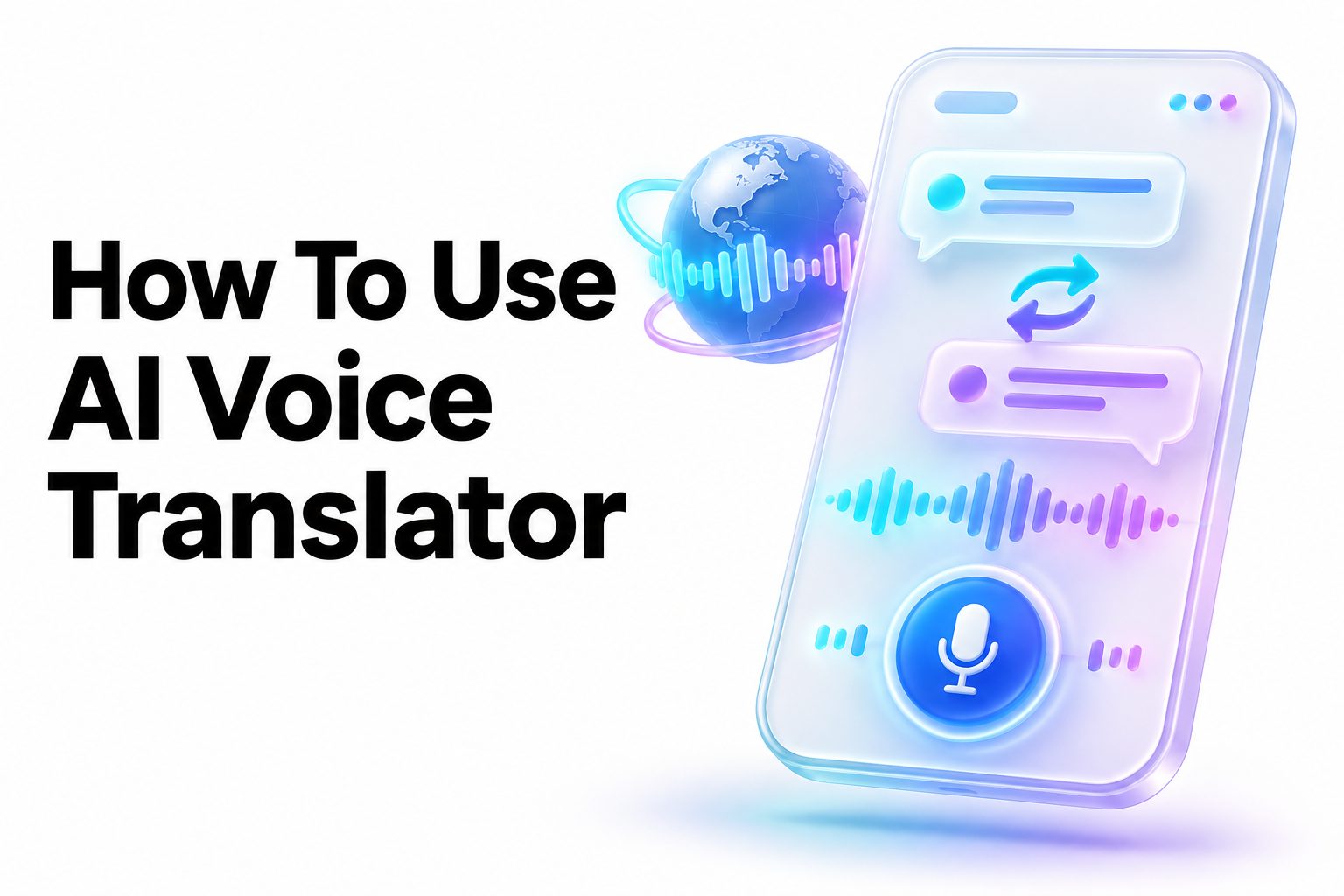
Speaking with someone who does not share your language no longer has to mean typing into a translation app, waiting for a result, then reading it aloud. AI voice translators can listen to speech, convert it into text, translate the meaning, and speak the result in another language within seconds. They are useful for travel, customer conversations, international meetings, language practice, and quick everyday communication.
Learning how to use ai voice translator tools is mostly about choosing the right mode, speaking clearly, and checking important translations before acting on them. The process is simple, but results improve dramatically when you set the correct languages, account for accents and noise, and use shorter sentences. This article explains how voice translation works, how to start a conversation safely, which settings matter, where these tools can struggle, and how to get more reliable results in real situations.
AI Voice Translation Basics
An AI voice translator combines speech recognition, machine translation, and text-to-speech technology. First, it listens to your spoken words and creates a written transcript. Next, it translates that transcript into the selected target language. Finally, it reads the translation aloud or displays it on screen.
Most translation apps offer two main options: a one-way voice translation mode and a conversation mode. One-way mode works well when you need to translate a phrase, message, or short explanation. Conversation mode is designed for two people speaking different languages back and forth.
What You Need Before You Start
A smartphone with a microphone and an internet connection is enough for most people. Many well-known translation apps work on Android and iPhone, while browser-based services can help from a laptop. Some tools also offer downloaded language packs for limited offline translation.
Check that the language pair you need supports voice input and spoken output. An app may translate written text into a language but not recognize speech in that language, or it may show text without reading the translation aloud. Test the pairing before relying on it for an important conversation.
Useful preparation steps include:
- Update the translation app before travelling or attending a meeting.
- Download offline language files when the app provides them.
- Allow microphone access in your phone’s privacy settings.
- Carry headphones if you will use the tool in a crowded place.
- Learn the app’s replay and edit controls before a live conversation.
- Keep a backup option, such as typed translation or a phrasebook.
Choosing the Right Translation Mode
The best mode depends on the conversation, not just the language. A single-speaker mode gives you more control over the original wording and works well for asking directions, ordering food, or translating a prepared statement. It is also useful when the other person only needs to hear your answer.
Conversation mode is more practical for an ongoing exchange. Depending on the app, each person may tap their own language button, use automatic language detection, or speak while the phone sits between them. Automatic detection can feel convenient, but it is less dependable when people interrupt each other or switch languages mid-sentence.
One-Way Voice Translation
Use one-way translation when you know which language you are speaking and which language you need. Select both languages, tap the microphone icon, say one short idea, then play or show the translated result. Read the original transcript first to make sure the tool heard you correctly.
This mode is especially effective for planned communication. For example, you can say, “I need to change my train ticket for tomorrow morning,” review the transcription, and then play the translated audio. A quick review prevents an incorrect transcription from becoming an incorrect translation.
Two-Person Conversation Mode
Conversation mode lets two speakers alternate languages. Put the phone on a stable surface, choose the two languages, and explain briefly that you are using a translator. Encourage each person to pause after speaking so the device has time to process the sentence.
Do not assume the translator has captured the entire exchange just because it produced audio. Watch the screen as well. Text makes it easier to spot names, dates, prices, addresses, and numbers that may need correction before the other person relies on them.
A Practical Setup Process
Follow these steps before starting a real conversation:
1. Open a reputable voice translation app and confirm microphone permission is enabled.
2. Choose your spoken language and the other person’s language manually when possible.
3. Select conversation mode for a two-way discussion or one-way mode for a single translated message.
4. Reduce background noise by moving away from traffic, music, or multiple nearby speakers.
5. Speak one complete thought, then wait until the transcript and translation appear.
6. Check names, numbers, dates, and any important details on screen.
7. Play the translated audio or show the written translation to the other person.
8. Ask the listener to repeat or confirm critical information in simple terms.
Speaking Clearly for Better Results
Voice translation is more accurate when the speech recognition stage receives clean audio. Speak at a normal pace, articulate key words, and keep the phone close enough for the microphone to hear you. Shouting often makes recognition worse because it can distort your voice.
Short sentences are easier to translate than long, layered explanations. Instead of saying, “Could you possibly tell me whether the train that was delayed earlier will still connect to the airport bus,” separate it into two statements. Ask about the train first, then ask about the airport connection.
Use Clear, Literal Language
Idioms, jokes, slang, and sarcasm frequently lose their meaning in translation. “I’m just pulling your leg” may become a confusing literal statement. Replace it with direct language such as, “I am joking,” especially when clarity matters.
Avoid regional expressions and unnecessary filler. Say, “Please write the address down,” rather than, “Could you jot that down for me when you get a second?” Direct phrasing gives the translation system fewer chances to misinterpret your intent.
Handle Proper Names and Numbers Carefully
Names, street addresses, medication names, booking references, and phone numbers deserve extra attention. Speech recognition may divide a name incorrectly or replace it with a similar-sounding word. Type those details manually when you can, then show both the original and translated text.
For numbers, say them slowly and one group at a time. A price of “fifty-four euros” can be misunderstood as “fifteen euros” in noisy conditions. Ask the other person to write the number or display it on a calculator when money, time, or reservations are involved.
Common mistakes to avoid:
- Speaking while the app is still translating the previous sentence.
- Relying on automatic language detection in a noisy conversation.
- Using a translation as proof of a legal, medical, or financial meaning.
- Translating long paragraphs without checking the original transcript.
- Assuming translated audio is polite at the same level in every language.
- Ignoring dialect differences when a country uses several spoken varieties.
Using Voice Translators While Traveling
Voice translation can make travel smoother when you need practical, low-risk information. It is well suited to hotel check-in, restaurant requests, shopping, directions, transport questions, and simple service interactions. Save frequently used phrases in advance if your chosen app supports saved translations.
For urgent situations, show the translated text rather than relying only on audio. A hotel receptionist, pharmacist, or driver can read the screen and correct a misunderstanding more easily. Keeping the source text visible also helps someone who speaks some of your language but is not confident speaking it.
Restaurants, Shops, and Transport
At a restaurant, ask focused questions such as, “Does this dish contain peanuts?” or “Please make this without meat.” If an allergy is severe, do not rely on voice translation alone. Show a written allergy card in the local language and confirm with staff or a manager.
When using transport, translate one detail at a time: departure location, destination, date, time, and platform. Display ticket information on your screen where possible. Voice translation is helpful for asking where to go, but a written booking confirmation remains more reliable for exact travel details.
Hotels and Local Services
At a hotel, use the app for requests such as extra towels, late check-out, luggage storage, or help finding local services. Speak politely but plainly. “Could I have two additional towels, please?” is more reliable than a long explanation about why you need them.
For repairs or service problems, take a photo and combine it with simple translated text. A picture of a broken air conditioner plus “The air conditioner does not work” often communicates the issue faster than a detailed spoken description. For more travel communication ideas, see [Internal Link: travel translation tips].
Voice Translation for Work and Remote Meetings
AI voice translators can assist with informal international collaboration, especially when participants need help following a short conversation. Live captioning and translated subtitles may be preferable to spoken output during a meeting because everyone can see what the system interpreted.
For formal presentations, client negotiations, performance discussions, contracts, or sensitive HR matters, use a qualified human interpreter when accuracy has real consequences. An app can support preparation and informal follow-up, but it should not be the sole channel for decisions that carry legal, financial, or employment risk.
Meeting Preparation
Send an agenda, names, acronyms, and key terminology beforehand when possible. Translation tools handle familiar language better than company-specific abbreviations, product names, or technical terms. Sharing written context with participants also reduces the pressure on live translation.
Keep your speaking turns short and avoid talking over others. Ask participants to pause after major points and summarize agreed actions in writing. A written recap protects against small translation errors becoming missed deadlines or conflicting expectations.
Comparison at a Glance
Use case: Asking for directions
Best approach: One-way voice translation
Extra safeguard: Show the destination on a map
Use case: Casual two-person conversation
Best approach: Conversation mode
Extra safeguard: Pause between speakers
Use case: Restaurant dietary request
Best approach: Voice translation plus written text
Extra safeguard: Confirm directly with staff
Use case: Online team meeting
Best approach: Live captions or translated subtitles
Extra safeguard: Send a written summary afterward
Use case: Medical or legal matter
Best approach: Qualified interpreter
Extra safeguard: Do not rely solely on an app
Offline Translation and Privacy Settings
Offline mode can be valuable when mobile data is expensive, Wi-Fi is unavailable, or you are travelling through areas with weak reception. Downloaded language packs commonly handle basic phrases and text translation, but voice recognition, conversation features, and translation quality may be more limited offline.
Test offline mode before you need it. Turn on airplane mode, open the app, and try a few typical sentences. If it cannot recognize speech or play audio without a connection, prepare a separate backup such as saved screenshots, translated notes, or an offline phrasebook.
Protecting Personal Information
Translation services may process audio and text through cloud servers. Before using one for work or private discussions, review its privacy controls and your organization’s policy. Avoid entering passwords, confidential client details, medical records, financial account information, or private identification numbers.
Delete conversation history when you no longer need it, particularly on a shared phone or tablet. Consider disabling the option that saves audio recordings or contributes data for service improvement if the app offers that choice. Privacy settings vary by provider, so take a minute to review them rather than assuming all services handle data identically.
Troubleshooting Poor Translations
When a result sounds wrong, first check the original transcript. Many apparent translation errors begin with the app mishearing a word. Correct the source text manually if editing is available, then generate the translation again.
If the transcript is correct but the translation is confusing, simplify the source sentence. Replace pronouns with names, state the subject directly, and remove extra clauses. For example, change “Can she move it there after he calls?” to “Can Maria move the package to the reception desk after David calls?”
Practical fixes include:
- Move to a quieter location or use wired earbuds with a microphone.
- Select the language manually instead of using automatic detection.
- Switch from a regional dialect to the standard language option if available.
- Break long instructions into individual steps.
- Type a difficult word, address, or name instead of saying it.
- Ask for a back-translation into your language to check the meaning.
- Try a second reputable translator when the wording is important.
When to Use an Alternative Method
A human interpreter is the safer choice for court proceedings, immigration appointments, medical diagnoses, emergency care, contracts, and high-stakes negotiations. These situations require precise meaning, cultural context, and the ability to ask clarifying questions in real time.
Written translation may be better for instructions, addresses, product labels, policies, and technical details that need to remain visible. A person can reread written text, point to a specific line, and compare details without relying on memory. For documents, use a service designed for document translation and have critical materials reviewed by a qualified professional.
Language Learning Benefits
Voice translation can also support language practice when used thoughtfully. Speak a sentence in the language you are learning, compare the transcript with what you intended to say, and listen to the translated output. This can reveal pronunciation issues and help you practice useful phrases.
Do not treat the translator as a language teacher with perfect grammar explanations. It may generate a correct translation without explaining why the sentence works. Pair it with structured lessons, native-speaker feedback, or [Internal Link: language learning apps] when your goal is sustained progress.
Best Practices for Reliable Conversations
A voice translator works best as a communication aid, not a substitute for judgment. Set expectations with the person you are speaking to, keep the exchange simple, and invite corrections. Most people are patient when they know you are making an effort to communicate clearly.
Make confirmation part of the conversation. At the end of an exchange, summarize the important point in simple language: “The appointment is at 3 p.m. on Tuesday, correct?” Show the translated text and wait for a clear response. This small habit catches many avoidable errors.
A reliable conversation checklist:
- Select the correct source and target languages.
- Use a quiet location whenever possible.
- Speak in short, direct sentences.
- Check the original transcript before playing the translation.
- Type proper names, numbers, and addresses when needed.
- Confirm important details verbally and in writing.
- Use a human interpreter for high-stakes matters.
Conclusion
The practical way to use an AI voice translator is to treat it as a fast bridge for everyday communication. Choose the right mode, set the languages manually when possible, speak in brief and literal phrases, and check the text before sharing important information. These habits make a larger difference than the specific app you choose.
Voice translation is especially helpful for travel, casual conversations, simple customer service requests, and informal workplace communication. It becomes less dependable when language is noisy, highly technical, emotionally nuanced, or tied to legal, medical, and financial consequences. In those cases, written confirmation or professional interpretation is worth the extra effort.
Once you know how to use ai voice translator tools with clear speech, careful review, and sensible safeguards, they can remove many small language barriers without making you overconfident about their limits. Start with low-risk conversations, learn what your preferred app handles well, and keep a backup method ready when precision matters.
Frequently Asked Questions
Which app is best for voice translation?
The best app depends on your language pair, device, and offline needs. Choose one that supports voice input, spoken output, and conversation mode for your languages. Test accuracy with common phrases before using it during travel or work.
Can AI voice translators work offline?
Some can work offline after you download supported language packs. Offline features often have fewer languages and lower accuracy than connected services. Test voice input, text translation, and audio playback before relying on offline mode during a trip.
How accurate is live voice translation?
Live voice translation is often accurate for clear, everyday speech in a quiet setting. Accuracy drops with noise, strong accents, idioms, overlapping voices, technical terms, and long sentences. Always confirm names, prices, dates, and important instructions.
Can voice translation help with language learning?
Yes, it can help you practice pronunciation, compare spoken phrases with transcripts, and hear translations aloud. It should support, not replace, structured learning. Native-speaker feedback and lessons are still more useful for grammar, nuance, and natural conversation.
Is it safe to use a voice translator for medical issues?
It is not safe to rely on one alone for medical decisions or emergencies. Use it only as temporary support while seeking qualified interpretation or professional care. Show written information and confirm critical details with trained staff.


Leave a Comment